

A polished storefront can still cause confusion behind the scenes when stock, orders and customer information do not work together.
To build an e-commerce management system that fits your business, connect product and inventory control, order fulfilment, customer experience, marketing and performance tracking in a practical workflow. The right setup shows what is selling and what needs attention, without adding tools or processes you do not need.
Start with how your business operates now and what the system must handle as it grows. Consider what e-commerce management includes, how SaaS, custom, headless and composable platforms suit different needs, and which mistakes can create friction, from inaccurate stock to a difficult checkout. This gives you a practical basis for choosing a system that supports your next steps.
Key Takeaways
- Match custom, SaaS, headless or composable platforms to your business needs and the level of control you require.
- Connect product, stock, pricing and profit information so you can make decisions from a clearer operational picture.
- Choose a system that fits your current business size, then connect the tools you need as operations grow.
- Catch avoidable problems by examining stock accuracy, checkout friction and the customer journey on mobile devices.
Choosing between custom, SaaS, headless, and composable platforms
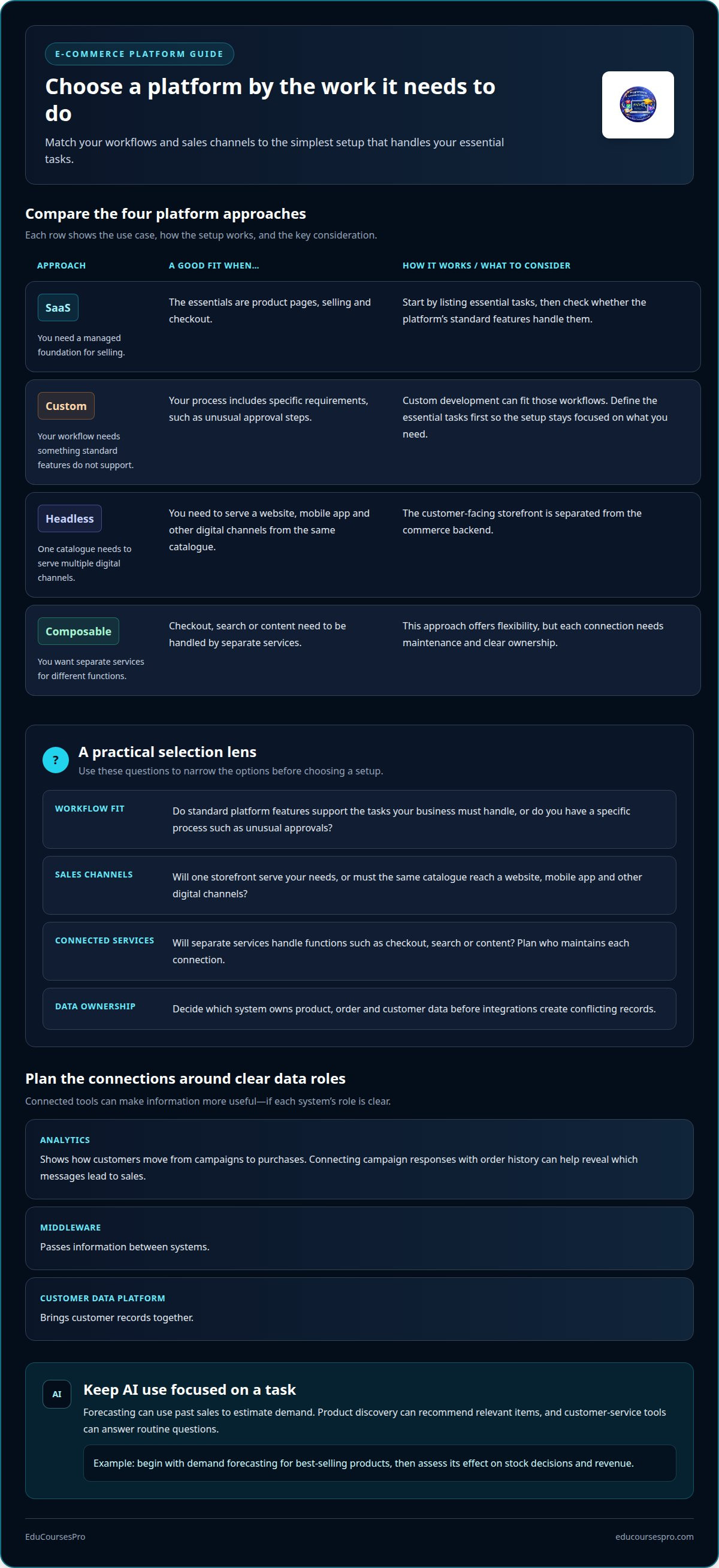
Choose a SaaS e-commerce platform when you need a managed foundation for selling, product pages and checkout. Custom development can suit workflows that standard platform features do not support, such as unusual approval steps. Before you build an e-commerce management system, list the essential tasks and identify the simplest platform setup that handles them.
Headless architecture separates the customer-facing storefront from the commerce backend. It can help when the same catalogue needs to serve a website, mobile app and other digital channels. Composable systems take this further by combining separate services for checkout, search or content. They offer flexibility, but each connection needs maintenance and clear ownership.
AI can support specific e-commerce tasks, but it need not determine your platform choice. Forecasting can use past sales to estimate demand, while pricing tools can help assess product prices. Product discovery features can recommend relevant items, and customer-service tools can answer routine questions. Start with one use case, such as forecasting demand for best-selling products, then assess its effect on stock decisions and revenue.
Analytics show how customers move from campaigns to purchases. Middleware passes information between systems, while a customer data platform brings customer records together. For example, connecting campaign responses with order history can show which messages lead to sales. Decide which system owns product, order and customer data before integrations create conflicting records.
B2B selling may need customer accounts, repeat ordering and customer-specific pricing. A distributor, for example, could show different agreed prices to separate business buyers. Segmentation groups customers by useful traits, such as purchase history or first-time status. Use those groups to tailor campaigns and product recommendations, while keeping pricing rules consistent across the portal and checkout.
Protect customer data and payment information with clear privacy policies, encryption, reputable payment processors and regular security checks. UK e-commerce businesses should account for GDPR and PCI-DSS requirements. Keep platform software updated, restrict access to sensitive records and review unusual order activity to help prevent fraud.
What is ecommerce management?
E-commerce management coordinates product information, inventory, pricing, orders and profit across your sales operation. In the UK, websites should explain sale terms and customer-data handling, follow GDPR and PCI-DSS requirements for data and payments, and account for consumer rights.
Inventory and supply-chain coordination
Supply-chain management coordinates stock movement from suppliers through storage and sales channels. Inventory synchronisation keeps availability aligned across channels, so a sale in one place updates the stock shown elsewhere. Without that connection, a marketplace order could leave your website displaying an item that has already sold. Link supplier records, warehouse counts and channel updates to maintain a consistent stock position for every order.
Demand forecasting and stock control
Inventory management tracks stock, sales and reorder points; demand forecasting uses past sales to estimate future product needs. Together, they help you decide when to replenish popular items and avoid tying up stock in slower sellers. For example, compare seasonal sales with current stock before placing a supplier order. Automated alerts can flag low availability early, while stock figures show turnover and how long products remain unsold.
Orders and warehouse operations
Order and warehouse management connects checkout activity with picking, packing, dispatch and inventory updates. A shared dashboard can bring orders, products, suppliers and stock into one view, making it easier for staff to see what needs action. When a paid order enters the queue, for example, the system can reserve its items and show the fulfilment team the next task. Automating stock updates and fulfilment workflows can help reduce delays and keep warehouse records aligned with available inventory.
E-commerce rules and requirements
UK e-commerce rules shape how your site handles personal data, payments, sales information and VAT records. GDPR applies to personal-data handling, while PCI-DSS covers payment and card-data security requirements. Display a Privacy Policy, Cookie Policy and General Terms and Conditions of Sale, and explain products and purchase terms clearly before checkout. Make delivery, cancellation and returns information easy to find so shoppers understand the sale. UK e-commerce businesses should check which tax and record-keeping requirements apply to them.
Ecommerce systems for different business sizes
Choose software for your current operation, not an imagined future scale. A small online store may need a product catalogue, checkout, order records and basic stock control. As sales expand across stores or channels, shared inventory, accounting and marketing tools may become useful. E-commerce software commonly integrates with other products because one system rarely covers every business function.
For a growing retailer, integrate the e-commerce platform with accounting and inventory software first. Then connect marketing tools so you can review campaign activity alongside purchases. This reduces manual data entry and gives staff a clearer order record. For example, when an online purchase is recorded, connected systems should reflect the sale without separate updates in each tool.
Larger operations may need to coordinate multiple locations, teams, product ranges or sales channels. A system that works for one store can become difficult to manage when teams rely on separate records. Map who owns product, customer and order data, then define how each integration transfers updates. This makes gaps visible before they affect fulfilment or reporting.
Integrations reduce repetitive work, but weak connections create risks. If stock updates fail between a store and its inventory system, staff may accept an order for an unavailable item. Duplicate customer or order records can also distort reports. Assign a clear source of truth for each data type, and test how systems respond when an update is delayed or rejected.
Plan development around the tasks the online store must support. Define requirements, build the core purchase journey, connect essential systems, then test product selection, checkout, order confirmation and stock changes. Test the full customer journey on actual mobile devices, not only a desktop screen. Check page speed too: the recommended target is a load time under 2.5 seconds. After launch, use support issues and order data to prioritise fixes. This approach keeps the first release focused while giving the system room to grow.
Common e-commerce management mistakes
Small operational gaps can combine to create a poor customer experience. For example, an online store may show an item as available after its last unit sells. A customer could then complete checkout for an order the business cannot fulfil. Treat stock accuracy, payment, delivery information and customer support as connected parts of one purchase journey. Review them together rather than fixing each problem in isolation.
Unexpected checkout charges can prompt shoppers to abandon a purchase. Show delivery costs and relevant terms before payment, not only at the final transaction step. Test each payment option from product selection through confirmation, including declined payments and interrupted sessions. A clear recovery message helps customers understand whether an order went through, rather than trying again and risking a duplicate transaction.
Testing only on a desktop computer is another common mistake. Complete the customer journey on mobile devices, from browsing a product page to receiving an order confirmation. Check that buttons, forms and payment fields work with touch controls. Repeat the test after changes to the storefront or checkout. A small-screen layout issue can block an action that works perfectly on desktop.
Unclear delivery and returns information creates avoidable questions after purchase. Explain how customers can find delivery details and start a return, then review support tickets for recurring confusion. Use reviews and survey responses to identify issues in customers’ own words. Track conversion and return rates together: more purchases mean little if product descriptions or expectations lead to more returns.
Finally, avoid treating security as a one-time setup. Use reputable payment processors, keep software updated and run regular security checks. Review who can access customer records, and remove permissions that a role no longer needs. If you’re learning how these parts fit together, practise building an ecommerce management workflow through a hands-on project.
EduCoursesPro: ASP.NET MVC series of lessons with a practical application on an e-commerce website management system - Shop with us
EduCoursesPro offers an ASP.NET MVC lesson series built around a practical e-commerce website management system, Shop with us. Use this project to connect the ideas behind e-commerce workflows with hands-on programming practice.
Explore how an online store management system takes shape through the project’s ASP.NET MVC lessons. Instead of treating platform decisions as abstract concepts, follow a practical application and build your understanding through a working project. It offers a focused path from learning the framework to applying it in an e-commerce context.
Choose this learning path if you want to strengthen your programming skills through an e-commerce project. Take the next step with EduCoursesPro and enrol in the course.
Make your next move a practical one
Your next step does not need to be a full-scale launch. Choose one business challenge, such as keeping product information consistent or clarifying order handling, and use it to shape your first version. A focused scope helps you practise the decisions that matter before adding features. As you build an e-commerce management system, keep both the customer journey and the work behind each sale in view.
For learners who want to turn these ideas into programming practice, EduCoursesPro’s project-based courses are guided by specialist instructors with practical experience. The e-commerce project lets you apply ASP.NET MVC concepts to a store management system instead of stopping at theory. Build steadily, test each part and use what you learn to guide your next project.
Contact EduCoursesPro to discuss your options and take a clear next step towards your learning goals.
Frequently Asked Questions
What Are Ecommerce Development Solutions?
E-commerce development solutions are the software, technical components and implementation work used to create and improve online selling experiences. They can include a storefront, product catalogue, checkout, payment connection and links to business tools. For example, a retailer adding online sales to an existing operation may need product data to move between its website and order system. The right solution depends on the tasks the store must support.
What is ecommerce software?
E-commerce software helps you manage sales through digital channels. Depending on the setup, it can handle product listings, customer purchases, order records and website content. Imagine a small business adding a product: staff need to enter its description, image and availability, then make it purchasable online. Software organises these tasks into a workflow, so the team can manage the store without building every function from scratch.
How to create an online store step by step?
Start by defining what you will sell and how customers will receive it. Choose a platform, prepare product information and create the storefront. Set up checkout and payment processing, add clear delivery and returns information, and test a complete purchase before launch. For example, place a test order on a phone and confirm the customer receives the correct order details. Review early customer questions to identify improvements.
What technology is involved in e-commerce?
An online store can combine a website interface, application logic, a database and connections to payment or business systems. Developers may use ASP.NET MVC to structure a web application, while browser technologies display product pages and checkout to customers. Databases store records such as products and orders. APIs let separate applications exchange information, for example by sending a completed purchase from the storefront to another business tool.
What features should an e-commerce management system include?
Choose features based on the work your team needs to complete. A store selling made-to-order goods, for example, needs product options and a way to track each order’s progress. A business with repeat customers may prioritise saved account details and simple reordering. Consider staff roles, searchable records and useful reports alongside customer-facing features. The right feature set supports daily tasks without making routine updates harder.
How do you plan and build an e-commerce management system step by step?
To build an e-commerce management system, first map a real order from product selection to fulfilment. Turn each hand-off into a requirement, such as recording a custom request or notifying the team. Then design the main screens, develop the core workflow and connect only the tools it needs. Test standard orders and exceptions, including incomplete details. Use the results to refine the workflow before adding secondary features.

